
1
Capture browser audio
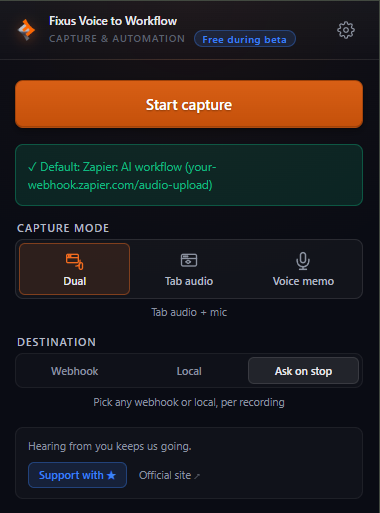
Open the popup, pick a mode. Tab audio, your voice, or both — whatever the moment calls for.
Capture browser audio — a meeting, a tab, your voice — and route it in one click to Zapier, Make, Slack, n8n, or any webhook. Your voice is a workflow away.
Free during beta · 3 capture modes · Works with any webhook
Three steps from voice to workflow. No typing. No tool switching. No context-shifting.
Open the popup, pick a mode. Tab audio, your voice, or both — whatever the moment calls for.
When capture ends, the audio posts to the webhook you pick. Zapier, Make, Slack, n8n, your own server — wherever your stack already lives.
Transcribe, summarize, create tasks, post to channels, store knowledge. Your workflow handles the rest. Your voice becomes the prompt.
One click, one sentence, and the rest is your stack. A few things people already ship with it.
"Summarize this video and save the outline to Notion."
Tab audio → Zapier → OpenAI → Notion
"Record the meeting, transcribe it, post a recap to Slack."
Dual capture → Make → Whisper → Slack
"Record a client note; land the summary in my CRM."
Voice memo → Zapier → AI summary → HubSpot
"Pull action items from this webinar and ship to the team."
Tab audio → n8n → AI router → Google Sheets
Tab audio only. Microphone only. Or dual for meetings. Pick the lightest option for the moment.
Breaks, interruptions, thinking pauses. Stop, come back, keep going — one continuous capture.
Record first, decide later. "Send this one to Slack. That one to n8n." Per-capture routing, your call.
Register a separate webhook for each workflow — multiple Zapiers, Makes, Slacks, or n8ns. Any workflow in your stack, one voice away.
Bring your own OpenAI, Anthropic, or any AI keys — on your own workflow. You decide when, where, and whether AI gets the audio.
Audio goes only to the webhook you choose — or stays on your disk. Pick local save and nothing touches the network.
If a send fails, a recovery tab offers a different webhook or a local save in one click. What you captured stays with you.
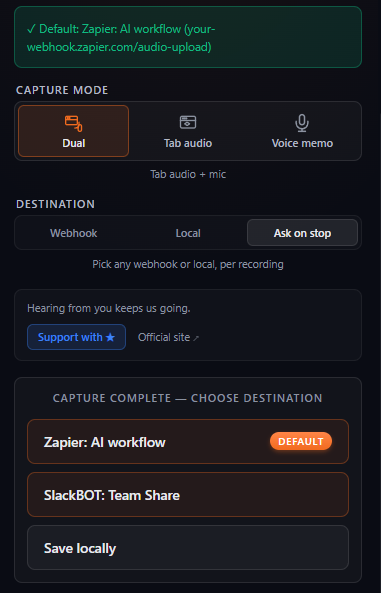
Register several webhooks. At capture end, route this one to Slack, that one to n8n, the next one to Make. Auto-send to a default is always there.
Mode, destination, start — all in one visible surface. Zero scrolling.
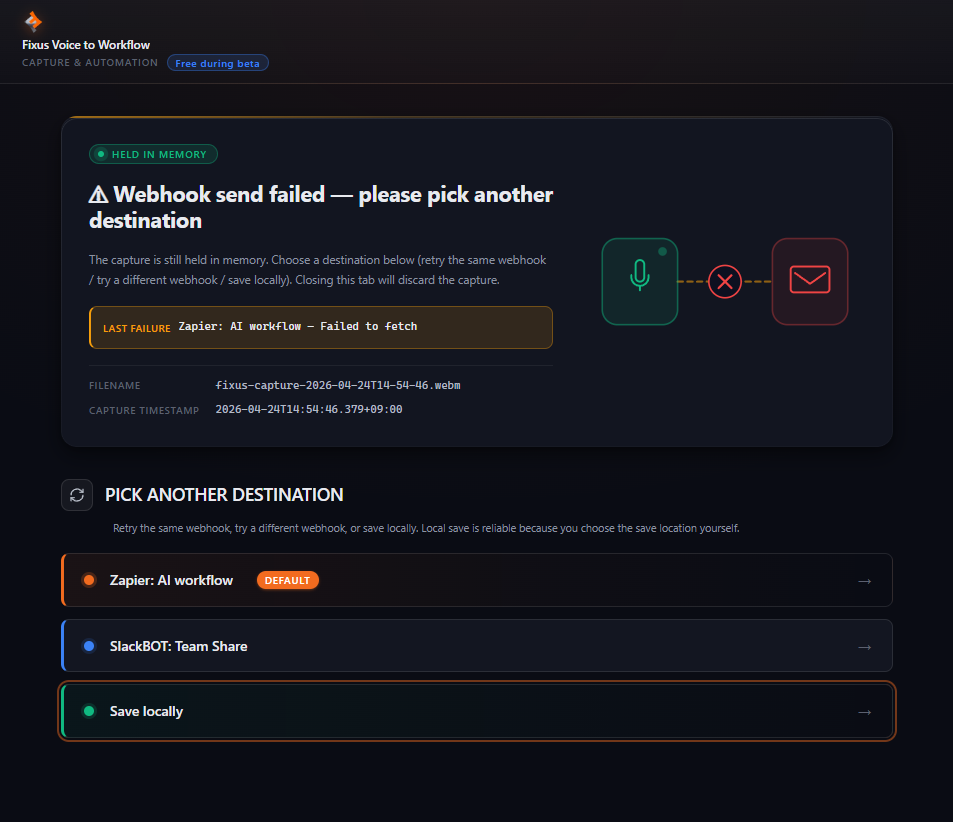
The moment a send fails, a "Held in memory" badge shows first. Retry with another webhook, retry the same one, or save locally — three options, all one click away.
Focus Assist, Do Not Disturb — neither can hide the alert from you. The failure lands no matter what OS settings you have on.
Free during beta. Chrome 116+. Three modes. Pause / resume. Webhook-native. All yours.